Frontend Development
Complete Modern Frontend Development – React, Next.js & Beyond
A deep-dive frontend course covering everything from HTML fundamentals to production-grade Next.js applications. You will master HTML5, CSS3, Tailwind CSS, modern JavaScript (ES6+), TypeScript, React, Next.js (App Router), animations, accessibility, performance optimization, and Vercel deployment — building a real portfolio along the way.
Career opportunities
No prior coding experience required · No age limit
Technologies and tools
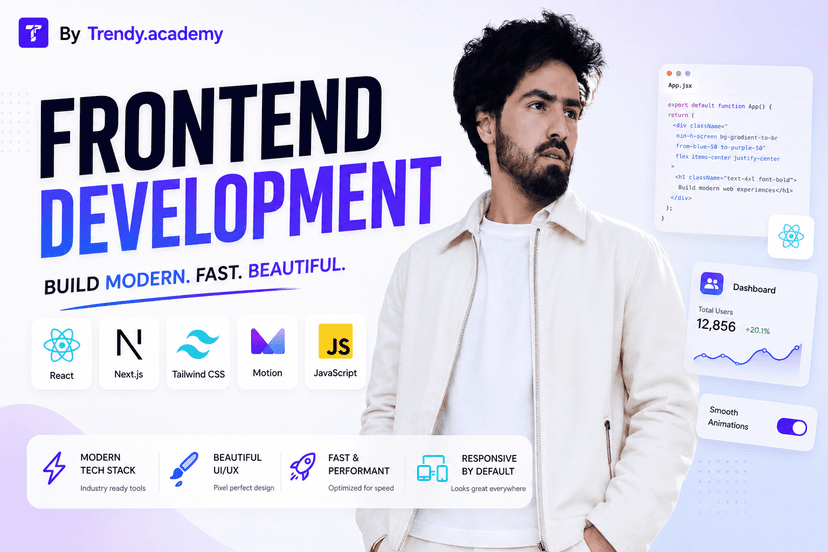
Frontend Development
New Batch02:00 AM – 04:00 AM
1st June
What you will get
Build pixel-perfect, responsive UIs with HTML, CSS, and Tailwind CSSWrite modern JavaScript with full ES6+ masteryType your applications confidently with TypeScriptBuild fast, accessible SPAs with React and its full ecosystemBuild production Next.js apps with App Router, SSR, SSG, and Server ActionsImplement authentication in Next.js with Clerk and Auth.jsAnimate UIs professionally with Framer Motion and CSSOptimize apps for Core Web Vitals and Lighthouse scoresWrite tests with Vitest, React Testing Library, and PlaywrightDeploy and manage apps on Vercel with CI/CDCourse syllabus
17 modules · 334 topics · 37 weeks total
- 1How the Internet works – packets, IP, TCP
- 2Domain names, Hosting, and Servers
- 3HTTP vs HTTPS – Request & Response cycle
- 4DNS resolution and how browsers render pages
- 5Client-side vs Server-side rendering (intro)
- 6Web standards, accessibility, and best practices
- 7Dev environment setup – VS Code, extensions, terminal basics
- 8Chrome DevTools – Elements, Console, Network, Performance tabs
Duration: 1 Week
- 1HTML document structure and DOCTYPE
- 2Headings, Paragraphs, Text formatting tags
- 3Links, Images, and Media embeds (audio, video, iframe)
- 4Lists – Ordered, Unordered, Definition
- 5Tables – Structure, scope, and accessibility
- 6HTML Forms – All input types, Labels, Buttons, Fieldset, Datalist
- 7Semantic HTML5 – header, nav, main, section, article, aside, footer, figure
- 8HTML5 APIs intro – Drag & Drop, History API
- 9Meta tags, Open Graph, Twitter Cards
- 10SEO fundamentals – Title, Description, Canonical
- 11Web Accessibility (a11y) – ARIA roles, landmarks, tabindex, focus management
- 12Emmet abbreviations for fast markup
- 13HTML validation and best practices
Duration: 2 Weeks
- 1CSS syntax, Selectors, Specificity, Cascade
- 2Box Model – Margin, Padding, Border, Outline
- 3CSS Units – px, em, rem, %, vw, vh, svh, dvh, ch, clamp()
- 4Colors – HEX, RGB, HSL, oklch (modern)
- 5Backgrounds, Gradients (linear, radial, conic)
- 6Typography – Google Fonts, @font-face, font-display
- 7Flexbox – All properties, alignment, wrapping
- 8CSS Grid – Template columns/rows, named areas, subgrid
- 9Responsive Design – Mobile-first, Media Queries, Container Queries
- 10CSS Positioning – static, relative, absolute, fixed, sticky
- 11Overflow, Scroll snap, Scroll-driven animations
- 12CSS Transitions – timing functions, transform
- 13CSS Animations – @keyframes, animation properties
- 14CSS Variables (Custom Properties) – theming
- 15CSS Pseudo-classes (:hover, :focus, :is, :where, :has)
- 16CSS Pseudo-elements (::before, ::after, ::placeholder, ::marker)
- 17Filter, Clip-path, Mask, Mix-blend-mode
- 18CSS Shapes and text wrapping
- 19Dark mode with prefers-color-scheme + CSS variables
- 20Cross-browser compatibility and vendor prefixes
- 21Print CSS basics
- 22CSS Architecture – BEM, SMACSS (naming conventions)
Duration: 4 Weeks
- 1What is Version Control and why it matters
- 2Installing Git and initial config (name, email, editor)
- 3Git workflow – Working directory, Staging area, Repository
- 4Core commands – init, add, commit, status, log, diff
- 5Branching – create, switch, rename, delete branches
- 6Merging strategies – fast-forward, three-way, squash
- 7Handling Merge Conflicts step-by-step
- 8Git Stash – save and restore uncommitted work
- 9Git Rebase – interactive rebase, squashing commits
- 10Git Reset and Revert – undo mistakes safely
- 11Git Cherry-pick
- 12Remote repos – GitHub setup, Push, Pull, Fetch, Clone
- 13Pull Requests – creating, reviewing, merging
- 14GitHub Issues and Project Boards
- 15GitHub Pages for free static deployment
- 16.gitignore – What to ignore and why
- 17SSH key setup for GitHub
- 18Conventional Commits – commit message standards
- 19Forking and contributing to open source
Duration: 1 Week
- 1Utility-first philosophy – why it works
- 2Tailwind installation – CDN, CLI, Vite, PostCSS
- 3Core utilities – spacing, sizing, colors, typography
- 4Flexbox and Grid utilities
- 5Responsive prefixes – sm, md, lg, xl, 2xl
- 6State variants – hover, focus, active, disabled, group, peer
- 7Dark mode – class and media strategy
- 8tailwind.config.js – extending theme, custom colors, fonts
- 9CSS Variables inside Tailwind
- 10Arbitrary values – [value] syntax
- 11@apply directive – extracting components
- 12Tailwind plugins – typography, forms, aspect-ratio
- 13Building a Navbar, Cards, Forms, Badges, Modals with Tailwind
- 14Tailwind v4 changes overview
- 15Optimizing for production – PurgeCSS / content paths
Duration: 2 Weeks
- 1Bootstrap Grid System – 12 columns, breakpoints
- 2Bootstrap Components – Navbar, Cards, Modals, Carousel, Accordion, Tabs, Offcanvas
- 3Bootstrap Utility Classes – spacing, display, flex, text
- 4Bootstrap Forms and Validation styles
- 5Bootstrap Icons
- 6Customizing Bootstrap with CSS and SCSS variables
- 7Bootstrap vs Tailwind – when to use which
- 8Building a complete responsive webpage with Bootstrap
Duration: 1 Week
- 1Variables – var, let, const – scoping and hoisting
- 2Data Types – Primitive vs Reference types
- 3Type Conversion and Coercion
- 4Operators – Arithmetic, Comparison, Logical, Nullish Coalescing (??), Optional Chaining (?.)
- 5Control Flow – if/else, switch, ternary
- 6Loops – for, while, do-while, for...of, for...in, forEach
- 7Functions – Declaration, Expression, Arrow Functions
- 8Default Parameters, Rest Parameters, Arguments object
- 9Closures and Lexical Scope
- 10IIFE – Immediately Invoked Function Expressions
- 11Higher-Order Functions – map, filter, reduce, find, findIndex, every, some, flat, flatMap
- 12Spread and Rest Operators
- 13Destructuring – Arrays, Objects, Nested, Renaming
- 14Template Literals and Tagged Templates
- 15DOM Manipulation – querySelector, createElement, insertAdjacentHTML, remove
- 16Event Handling – click, input, change, submit, keydown, mousemove
- 17Event Bubbling, Capturing, and Delegation
- 18Custom Events – CustomEvent, dispatchEvent
- 19Form Validation – Constraint Validation API
- 20Arrays – all methods (slice, splice, sort, reverse, fill, copyWithin, at)
- 21Objects – methods, shorthand, computed keys, Object.entries/keys/values/assign/freeze
- 22JSON – Parse, Stringify, deep clone patterns
- 23ES6 Classes – constructor, extends, super, static, private fields (#)
- 24Prototypes and Prototype chain
- 25Symbols and Well-known Symbols
- 26Iterators and Generators (function*)
- 27ES Modules – import, export, named, default, dynamic import()
- 28Promises – resolve, reject, .then, .catch, .finally
- 29Promise combinators – Promise.all, race, any, allSettled
- 30async/await – error handling, parallel execution
- 31Fetch API – GET, POST, PUT, PATCH, DELETE with headers
- 32Working with REST APIs and JSON responses
- 33Axios – HTTP client as alternative to Fetch
- 34LocalStorage, SessionStorage, IndexedDB basics, Cookies
- 35Timers – setTimeout, setInterval, clearTimeout, requestAnimationFrame
- 36Regular Expressions – patterns, flags, methods
- 37WeakMap, WeakSet, Map, Set
- 38Proxy and Reflect
- 39Performance – Debounce, Throttle, Lazy loading
- 40Web APIs – Intersection Observer, Resize Observer, MutationObserver
- 41Browser APIs – Geolocation, Clipboard, Notifications, Web Storage
- 42Service Workers and PWA basics (intro)
- 43JavaScript Design Patterns – Module, Singleton, Observer, Factory
Duration: 5 Weeks
- 1What is TypeScript and why use it
- 2TypeScript setup – tsconfig.json, strict mode
- 3Basic types – string, number, boolean, null, undefined, any, unknown, never, void
- 4Type Inference
- 5Arrays and Tuples
- 6Objects – type aliases and interfaces
- 7Union types and Intersection types
- 8Literal types and Discriminated Unions
- 9Enums – const enums
- 10Functions – parameter types, return types, overloads
- 11Optional and Default parameters
- 12Generics – functions, interfaces, classes
- 13Utility Types – Partial, Required, Readonly, Pick, Omit, Record, ReturnType, Parameters
- 14Type Guards and narrowing – typeof, instanceof, in, is
- 15Non-null assertion operator (!)
- 16TypeScript with DOM manipulation
- 17Modules in TypeScript
- 18Declaration files – .d.ts
- 19TypeScript with React – typing Props, State, Events, Refs, Context
- 20Zod integration for runtime validation
- 21Common TypeScript patterns and best practices
Duration: 2 Weeks
- 1What is React – Virtual DOM, Reconciliation, Fiber
- 2Setting up React with Vite + TypeScript
- 3JSX – Syntax, expressions, fragments (<>)
- 4Functional Components – creating and exporting
- 5Props – passing, receiving, typing with TypeScript
- 6useState – state basics, functional updates, batching
- 7Conditional Rendering – &&, ternary, early return, switch
- 8Lists and Keys – rendering arrays correctly
- 9Event Handling – onClick, onChange, onSubmit
- 10Controlled vs Uncontrolled components
- 11useEffect – Side effects, Dependencies array, Cleanup
- 12useRef – DOM access, mutable refs, forwarding refs
- 13useContext – Context API, createContext, useContext
- 14useReducer – Complex state, dispatch pattern
- 15useMemo – Memoizing expensive computations
- 16useCallback – Memoizing functions
- 17React.memo – Preventing unnecessary re-renders
- 18useId, useTransition, useDeferredValue (React 18+)
- 19Custom Hooks – extracting and reusing logic
- 20Component Composition – Children, Slots pattern, Compound components
- 21Render Props pattern
- 22Higher-Order Components (HOC)
- 23Error Boundaries – catching render errors
- 24Portals – Rendering outside root
- 25Lazy loading – React.lazy + Suspense
- 26React Router v6 – BrowserRouter, Routes, Route
- 27Nested routes and Layout routes
- 28Dynamic routes – useParams
- 29Navigation – useNavigate, useLocation, Link, NavLink
- 30Protected routes and Auth guards
- 31Data fetching with useEffect + fetch
- 32TanStack Query (React Query) – useQuery, useMutation, useInfiniteQuery
- 33Zustand – store setup, actions, slices, devtools
- 34Jotai – Atomic state management
- 35Redux Toolkit – createSlice, createAsyncThunk (overview)
- 36React Hook Form – register, handleSubmit, errors, watch
- 37Zod integration with React Hook Form
- 38File uploads in React
- 39Drag and Drop – react-beautiful-dnd or dnd-kit
- 40Infinite Scroll – Intersection Observer
- 41Virtualization – react-window (large lists)
- 42Toast notifications – react-hot-toast / sonner
- 43Modals, Drawers, Popovers – Radix UI primitives
- 44Shadcn/ui – component library setup and usage
- 45Tailwind CSS with React
- 46Framer Motion – Animations and transitions in React
- 47React Profiler – identifying performance issues
- 48React DevTools – debugging components
- 49Environment variables – .env, import.meta.env
- 50Project structure and best practices
Duration: 5 Weeks
- 1What is Next.js – SSR, SSG, ISR, CSR explained
- 2Next.js vs plain React – when and why
- 3App Router vs Pages Router – understanding both
- 4Project setup – create-next-app with TypeScript + Tailwind
- 5File-based routing – folders as routes
- 6Layout.tsx – Shared layouts and nested layouts
- 7Page.tsx, Loading.tsx, Error.tsx, Not-found.tsx
- 8Route Groups – (group) for organizing without affecting URL
- 9Dynamic Routes – [slug], [...catchAll], [[...optional]]
- 10Parallel Routes – @slot convention
- 11Intercepting Routes – (.) (..) (...) patterns
- 12Link component and programmatic navigation – useRouter
- 13Server Components vs Client Components – 'use client'
- 14When to use Server vs Client components
- 15Data fetching in Server Components – async/await directly
- 16fetch() in Next.js – caching, revalidate, no-store
- 17generateStaticParams – static generation for dynamic routes
- 18Streaming and Suspense with Server Components
- 19Server Actions – 'use server', form actions, mutations
- 20useFormState and useFormStatus (React DOM hooks)
- 21Route Handlers – API routes (route.ts) GET, POST, PUT, DELETE
- 22Middleware – next/middleware, request modification, redirects, auth
- 23next/image – Image optimization, lazy loading, priority
- 24next/font – Font optimization (Google Fonts, local)
- 25next/link – Prefetching, scroll restoration
- 26Metadata API – generateMetadata, static metadata, OG images
- 27Open Graph Image generation – ImageResponse
- 28Sitemap and robots.txt generation
- 29Environment variables in Next.js – .env.local, server vs client
- 30Internationalization (i18n) – next-intl setup
- 31Authentication with NextAuth.js (Auth.js v5)
- 32Authentication with Clerk in Next.js
- 33Database integration – Prisma with Next.js
- 34Edge Runtime vs Node.js Runtime
- 35Error handling – error.tsx, global-error.tsx
- 36Next.js Caching – full route cache, data cache, router cache
- 37Cache invalidation – revalidatePath, revalidateTag
- 38ISR – Incremental Static Regeneration in App Router
- 39Performance – bundle analysis, code splitting
- 40next.config.ts – redirects, rewrites, headers, experimental flags
- 41Testing Next.js – Vitest, React Testing Library
- 42Deployment to Vercel – zero config
- 43Vercel dashboard – domains, environment variables, logs
- 44Preview deployments on pull requests
- 45Vercel Analytics and Speed Insights
Duration: 5 Weeks
- 1CSS Animations review – @keyframes, animation shorthand
- 2CSS Transitions – timing functions (ease, spring)
- 3Scroll-driven animations (native CSS)
- 4Framer Motion – motion components, variants, animate
- 5Framer Motion – AnimatePresence, layout animations
- 6Framer Motion – Drag, Gesture recognition
- 7Framer Motion – useScroll, useTransform, useSpring
- 8GSAP basics (intro) – ScrollTrigger
- 9Three.js + React Three Fiber (overview)
- 10Lottie animations in React
- 11Page transitions in Next.js
- 12Reduced motion accessibility – prefers-reduced-motion
Duration: 1 Week
- 1Design system concepts – tokens, components, patterns
- 2Shadcn/ui – setup, theming, adding components
- 3Radix UI – Headless accessible components
- 4Headless UI
- 5Lucide React – Icon library
- 6React Icons – Multiple icon packs
- 7Recharts / Chart.js – Data visualization in React
- 8React Table (TanStack Table) – Complex data tables
- 9React DnD / dnd-kit – Drag and drop
- 10Storybook – Component documentation and isolated dev
- 11Figma to Code workflow – reading design files
- 12Design tokens – colors, spacing, typography scales
Duration: 1 Week
- 1Web Core Vitals – LCP, FID/INP, CLS explained
- 2Lighthouse audit – understanding and improving scores
- 3Image optimization – WebP, AVIF, responsive images, lazy load
- 4Font optimization – font-display, preload, variable fonts
- 5Code splitting – dynamic imports, route-level splitting
- 6Tree shaking and dead code elimination
- 7Bundle analysis – Webpack Bundle Analyzer, Next.js built-in
- 8Caching strategies – Browser cache, HTTP cache headers
- 9Prefetching and preloading resources
- 10Critical CSS and above-the-fold optimization
- 11Debounce and Throttle in practice
- 12Virtualization for large lists
- 13Web Workers (intro) – offloading heavy computation
- 14Performance monitoring – Vercel Analytics, Web Vitals API
Duration: 1 Week
- 1Why accessibility matters – legal and ethical context
- 2WCAG 2.1 guidelines – A, AA, AAA levels
- 3Semantic HTML as the foundation of a11y
- 4Keyboard navigation – tabindex, focus management, skip links
- 5Screen reader testing – NVDA, VoiceOver basics
- 6ARIA – roles, properties, states (live regions)
- 7Color contrast requirements
- 8Accessible forms – labels, error messages, focus indicators
- 9Accessible modals – focus trap, aria-modal
- 10axe DevTools and Lighthouse accessibility audit
- 11SEO in Next.js – Metadata API, sitemap, robots
- 12Structured data – JSON-LD schema
- 13Open Graph and Twitter Card meta tags
- 14Performance as SEO – Core Web Vitals
- 15Internationalization and hreflang
Duration: 1 Week
- 1Why testing matters – unit, integration, E2E
- 2Vitest – setup, describe, it, expect
- 3React Testing Library – render, screen, userEvent
- 4Querying DOM – getByRole, getByText, getByTestId
- 5Testing user interactions and form submissions
- 6Mocking API calls – MSW (Mock Service Worker)
- 7Snapshot testing
- 8Testing custom hooks
- 9Testing Next.js components
- 10Playwright – E2E browser testing
- 11Playwright – locators, assertions, page actions
- 12CI integration – running tests on GitHub Actions
Duration: 1 Week
- 1Deployment options – Vercel, Netlify, GitHub Pages, Cloudflare Pages
- 2Vercel deployment – connecting GitHub repo, zero-config
- 3Vercel environment variables – preview vs production
- 4Vercel domains – custom domain setup and DNS config
- 5Vercel Preview Deployments – per-PR previews
- 6Vercel Analytics and Speed Insights
- 7Vercel Edge Config and Edge Middleware
- 8Netlify deployment and redirects (_redirects file)
- 9GitHub Actions – CI/CD pipeline for lint, test, deploy
- 10Environment management – .env.local, .env.production
- 11Content Security Policy headers
- 12HTTPS and SSL setup
- 13CDN concepts and asset delivery
- 14Monitoring – error tracking with Sentry (intro)
Duration: 1 Week
- 1Project planning – wireframes, component tree, data flow
- 2Project 1 – Personal Portfolio (Next.js + Tailwind + Framer Motion, deployed on Vercel)
- 3Project 2 – Blog with MDX (Next.js + Contentlayer + SSG)
- 4Project 3 – E-Commerce Frontend (Next.js + Zustand cart + Stripe UI)
- 5Project 4 – Dashboard UI (React + TanStack Query + Recharts)
- 6Project 5 – Real-time Collaborative UI (React + WebSocket/Socket.io client)
- 7Code review and refactoring sessions
- 8GitHub portfolio – README, pinned repos, project showcase
- 9Resume preparation for frontend roles
- 10Frontend interview prep – common JS/React/Next.js questions
- 11Technical assessment practice
Duration: 3 Weeks